It has been five years since my last article on this library. Back then it was an alpha: a thin wrapper to convert materialsdb.org data into an IFC project library. Since then the library grew into a complete materials workflow: an indexed catalogue, a web GUI to browse and compose constructions, and a two-way integration with Bonsai (the BlenderBIM add-on) — shipped as a Blender extension you can install and update like any other.
What’s new ?
An indexed catalogue
The library keeps a local sqlite index of everything cached from materialsdb.org producers (more than 2 000 materials). Filtering by company, category, λ range, thickness or usage is instant, and parsing got 3.9-4.7x faster along the way:
from materialsdb import query

query.refresh()                                # update the index from cached xml
rows = query.search("isolant", sort="lambda")  # filtered, sorted summaries
material = query.get_material(rows[0].id)      # full material dataclass
A web application: materialsdb-gui
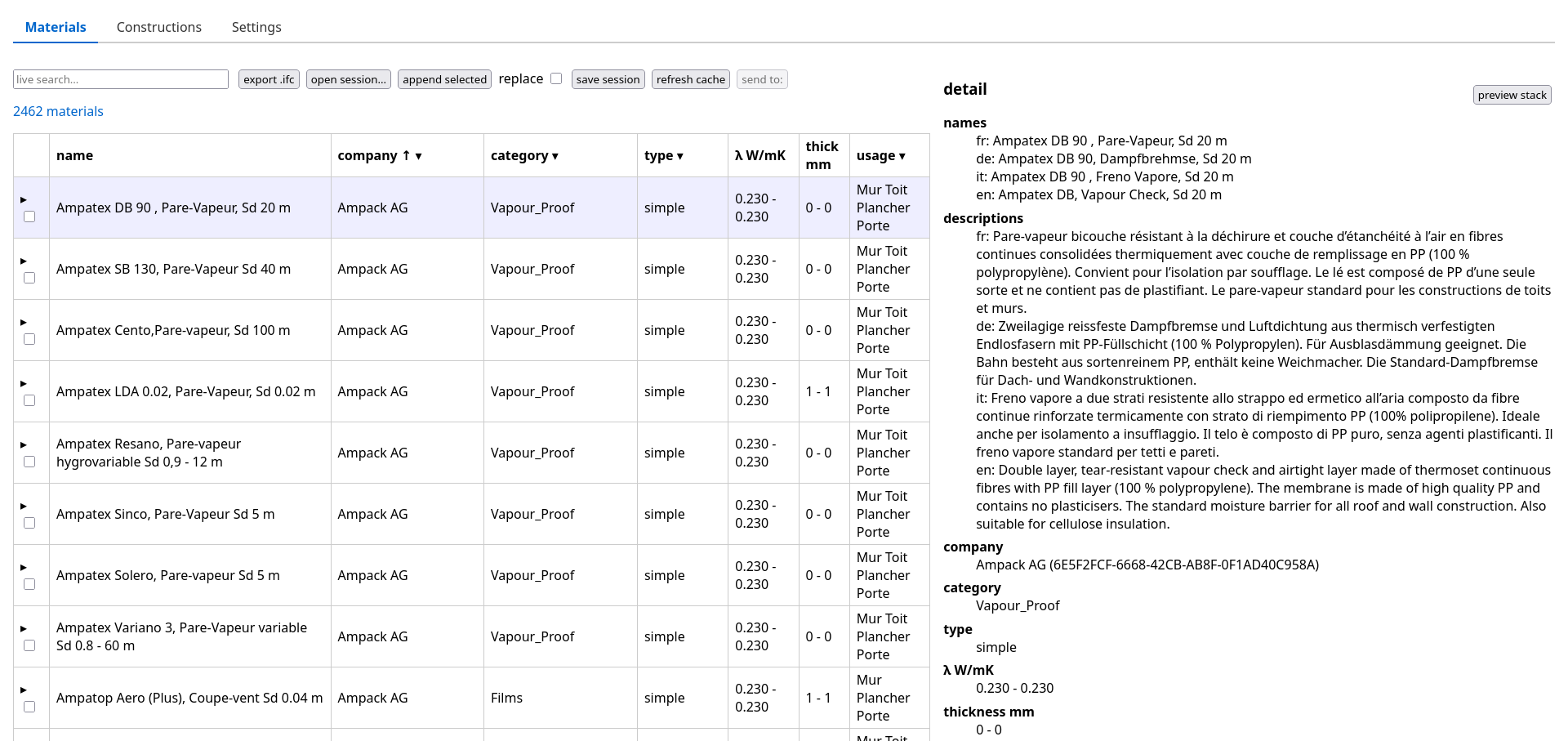
A dependency-free (stdlib) local web application, started with materialsdb-gui.
The picker lets you browse every cached material, sort and facet-filter by
company/category/conductivity, pick whole materials or specific manufacturer
thicknesses, and either export a standalone .ifc library or append into the
IFC file open in your session.
A construction maker
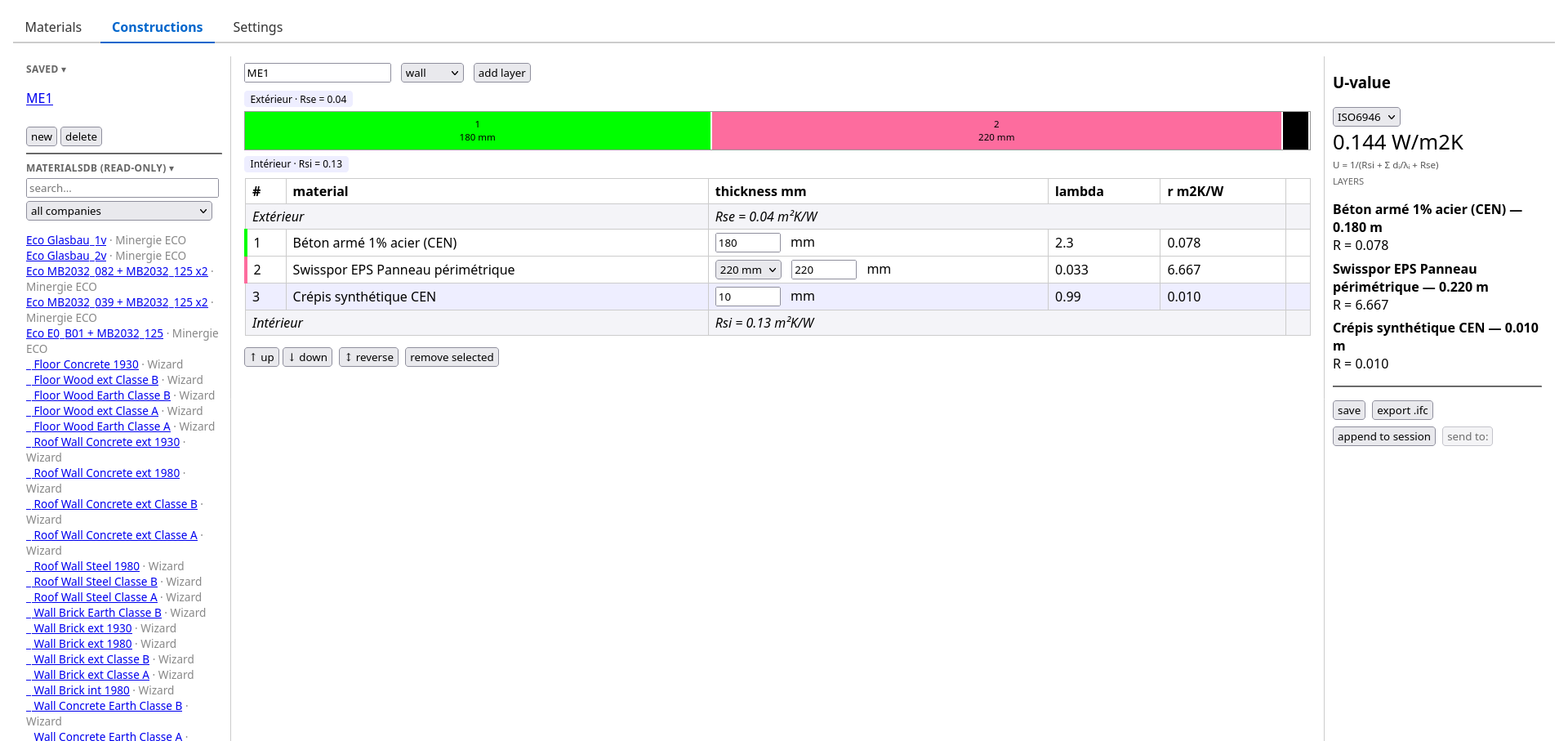
Compose thermal constructions layer by layer, with live U-value computation
(ISO 6946 / SIA 180 surface-resistance presets), a scaled stack preview, saved
constructions in your cache directory, and export as
IfcMaterialLayerSet.
And now: straight into Bonsai
The part I wanted the most. python-materialsdb now ships a
Blender extension, installable and updatable from inside Blender through
an extension repository:
Preferences ▸ Get Extensions ▸ ⌄ ▸ Add Remote Repository — add https://cyrilwaechter.github.io/python-materialsdb/index.json, then install materialsdb listener.
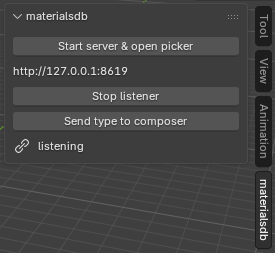
Once installed, the panel in the 3D-view sidebar can start the GUI server for you, open the picker in your browser, and receive whatever you send:
- Materials: pick them in the browser, one click sends them into the
open IFC model — with their materialsdb identity property set (so Lesosai
or any materialsdb-aware software can retrieve the full data later),
per-layer property sets and surface colours. Undoable, of course. - Constructions: the construction maker pushes a construction as an
IfcWallType/IfcSlabType/IfcRoofType(per its design usage) with
itsIfcMaterialLayerSet, visible in the outliner. - Round-trip: select a wall in your model (or its type), send it back to
the composer, adjust thicknesses — even layers whose material is not a
materialsdb object are kept as “model material” placeholders — and push it
back into the same layer set. Ctrl+Z rewinds it with a titled undo step.
Everything talks over a small localhost HTTP API, so FreeCAD, Revit or whatever-you-use listeners can reuse the exact same channel later.
Installing
pip install python-materialsdb
For the Bonsai integration: add the extension repository URL in Blender, set
your Python interpreter in the add-on preferences (it needs
pip install python-materialsdb), and you are set. Detailled instructions in
the README.
What’s next ?
- Local/project materials file: promote the “model material” placeholders
into a project-specific materialsdb file, so foreign materials can live
across projects and still compute U-values. - Listeners beyond Bonsai (FreeCAD, Revit) — the protocol is already
host-agnostic. - More of the materialsdb data mapped into IFC property sets.